
How do I add a school or sports calendar link to Podz?
Open More, then Sync Calendars, to add a school or sports schedule from an ICS or webcal link. Choose who attends before importing the events.
Steps
- Tap More.
- Tap Sync Calendars.
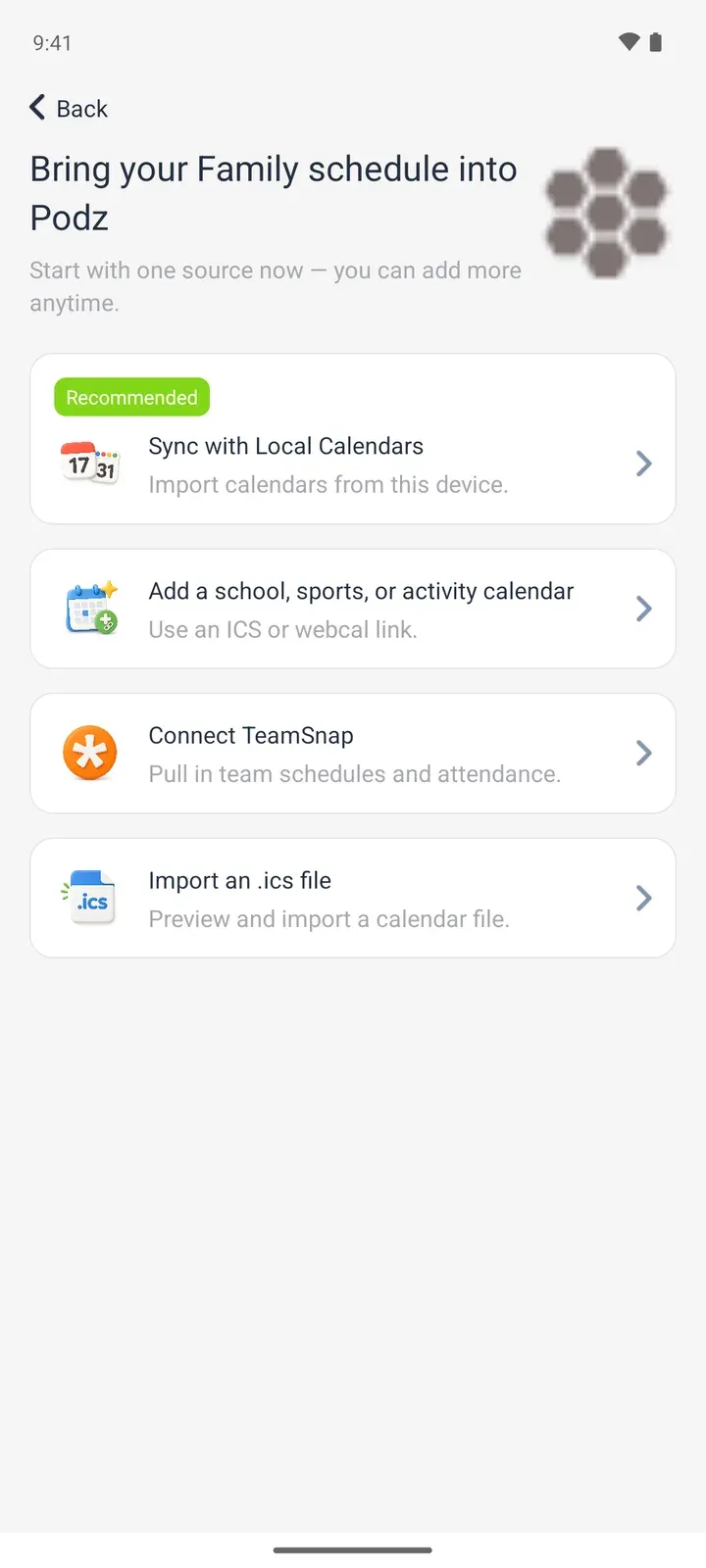
- Tap Add a school, sports, or activity calendar.
- Tap Add new feed.
- Enter the calendar name in Title.
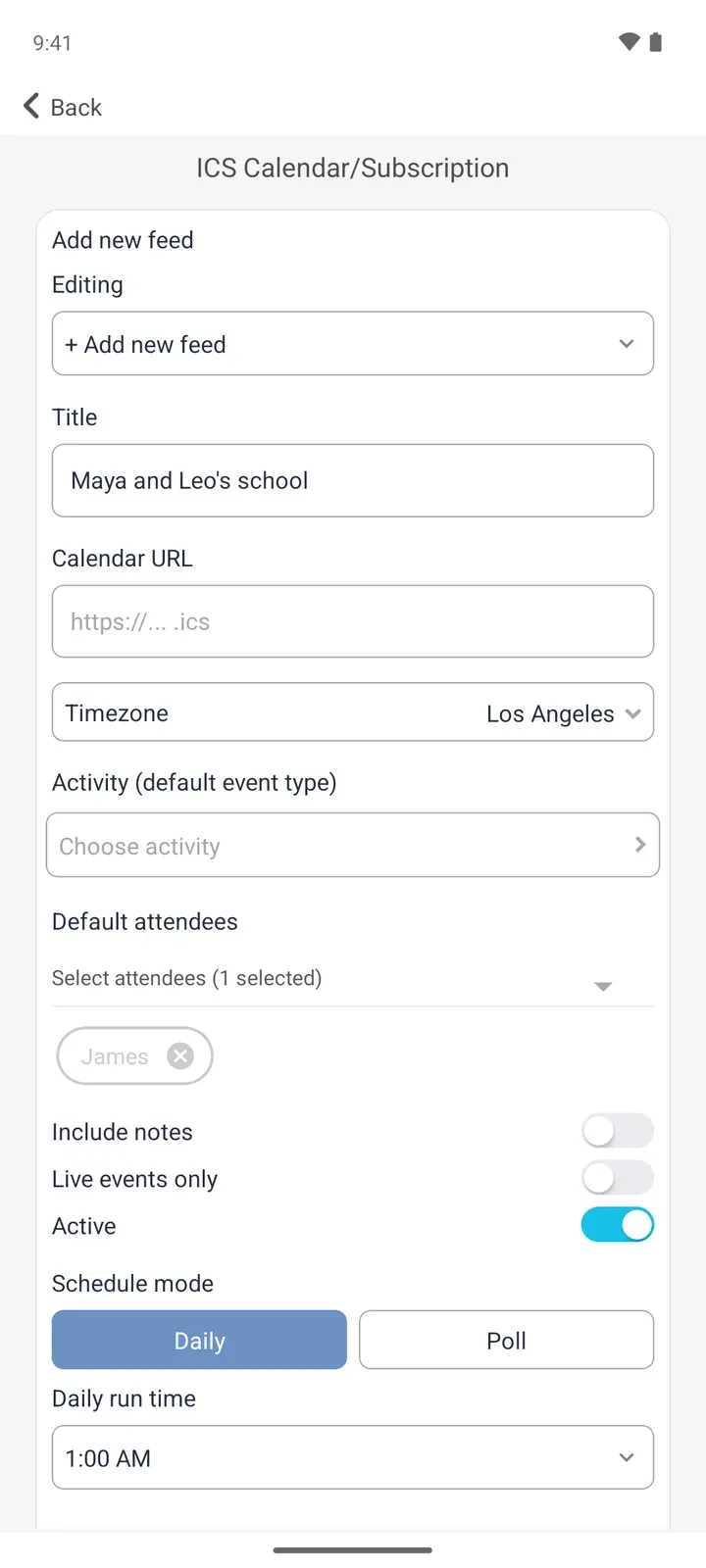
- Enter its ICS or webcal link in Calendar URL.
- For a school schedule, choose School Day in Activity (default event type).
- Choose the children in Default attendees.
- Tap Done.
- Tap Add feed.
- Tap Sync Now.
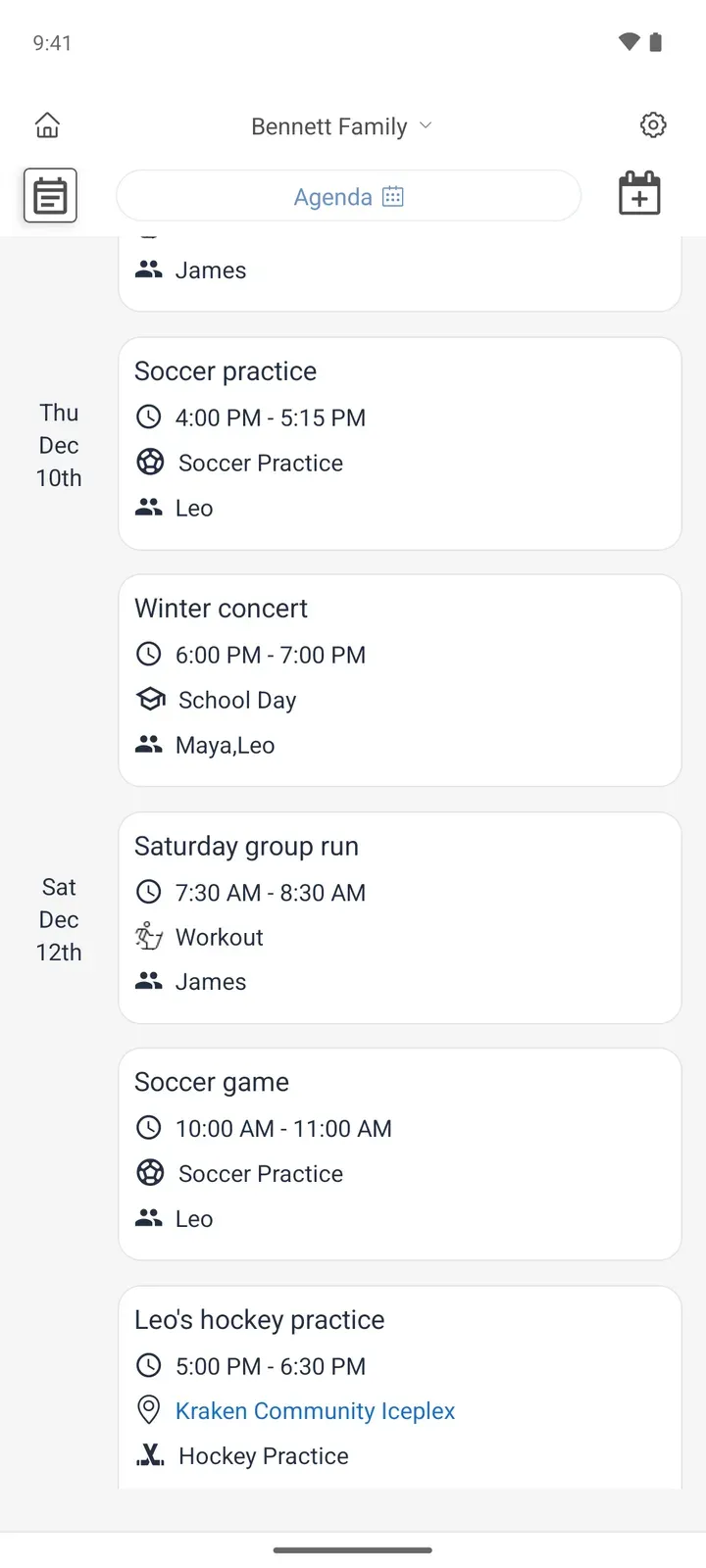
- Open Calendar to see the imported events.
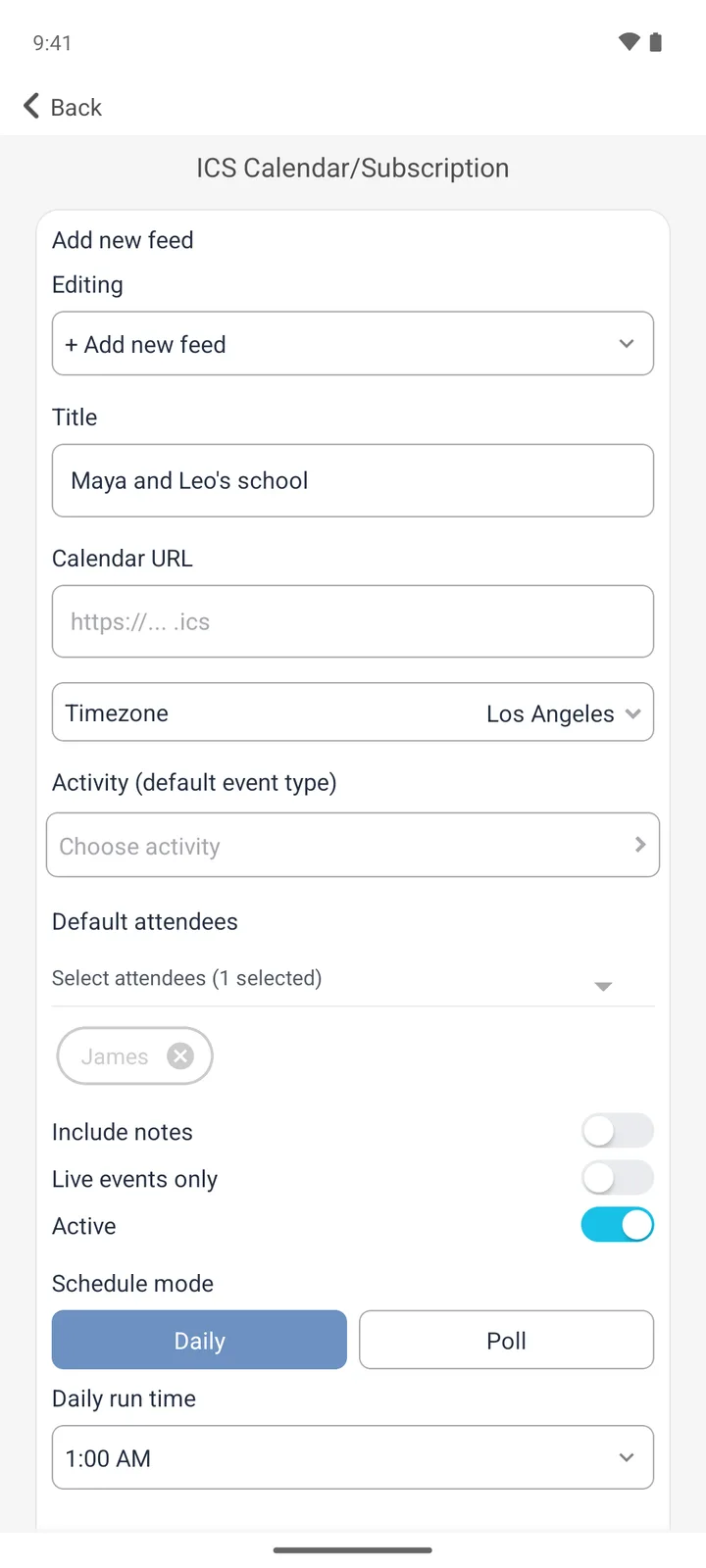
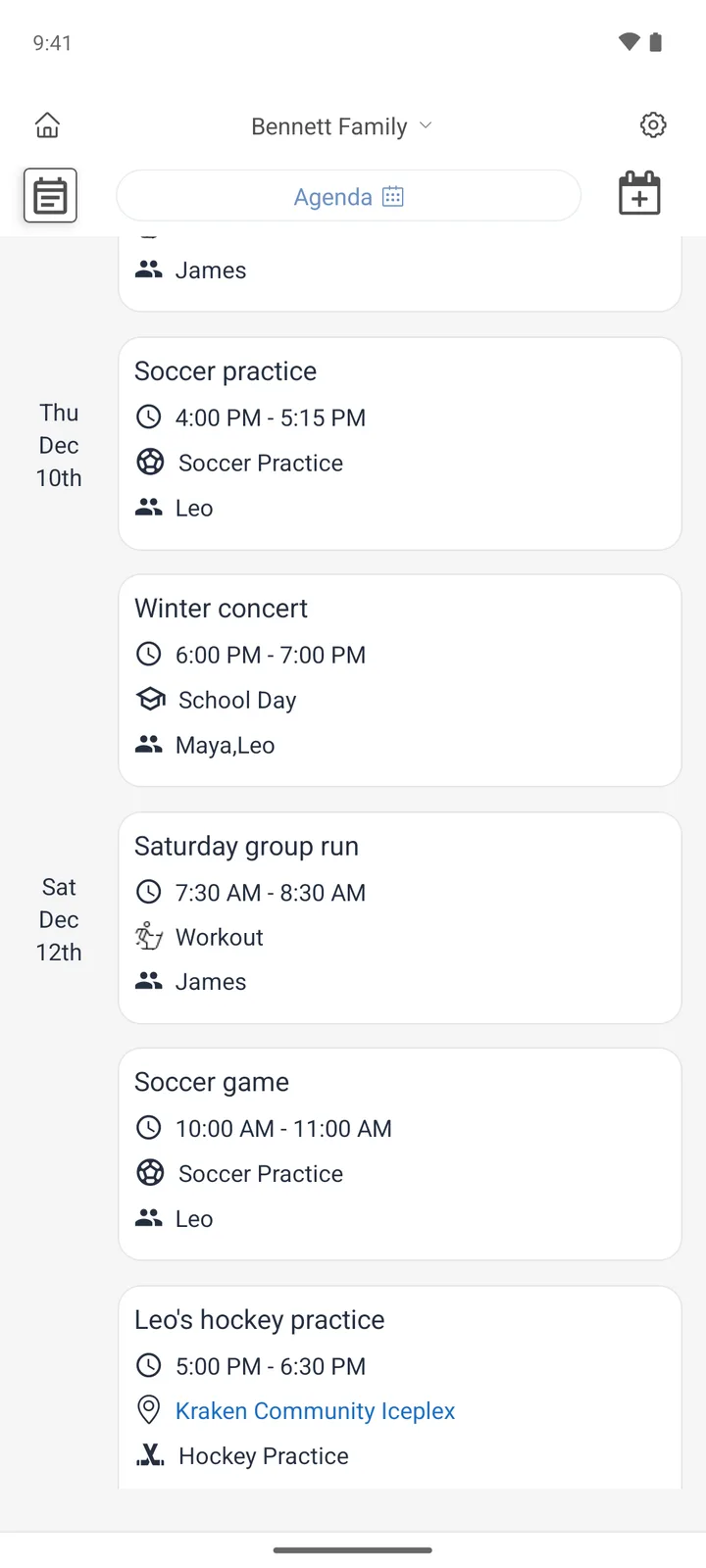
Steps checked on Android; iPhone screens may look slightly different. Checked in Podz 2.20.56 on Nov 16, 2026.
Good to know
Check Timezone before saving. Choose Agenda from the calendar view menu to read the complete event titles. The example school feed includes only Maya and Leo; the family activities feed includes the whole household.
The form also offers Include notes, Live events only, Active, Daily, Poll, Daily run time and Max past days. Choose the settings that fit the calendar you are importing. In this app version, the configured-feed list displays its last-sync timestamp in UTC even when the selected event timezone is Los Angeles.
Still stuck? Get help from Podz, or search all the guides.