
如何让月视图成为 Podz 的默认界面?
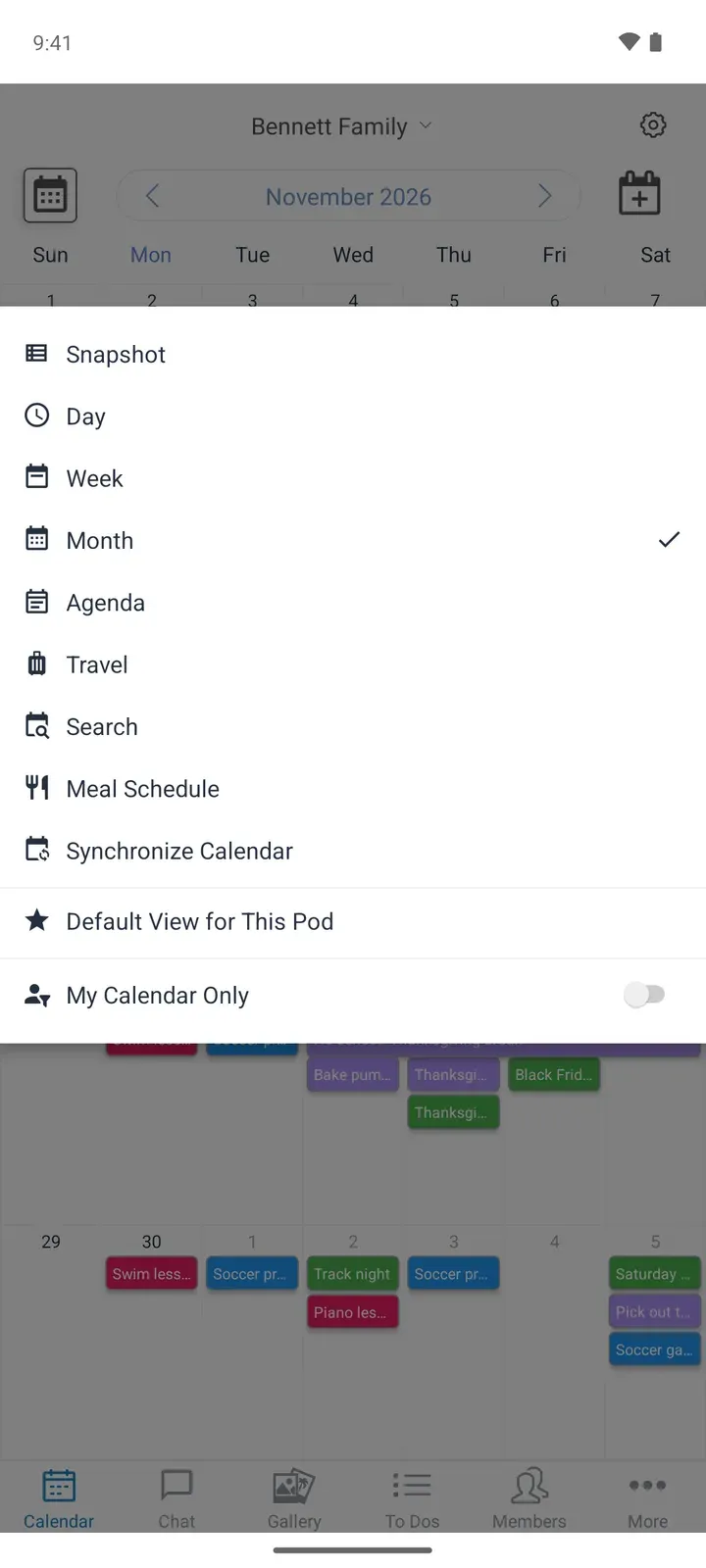
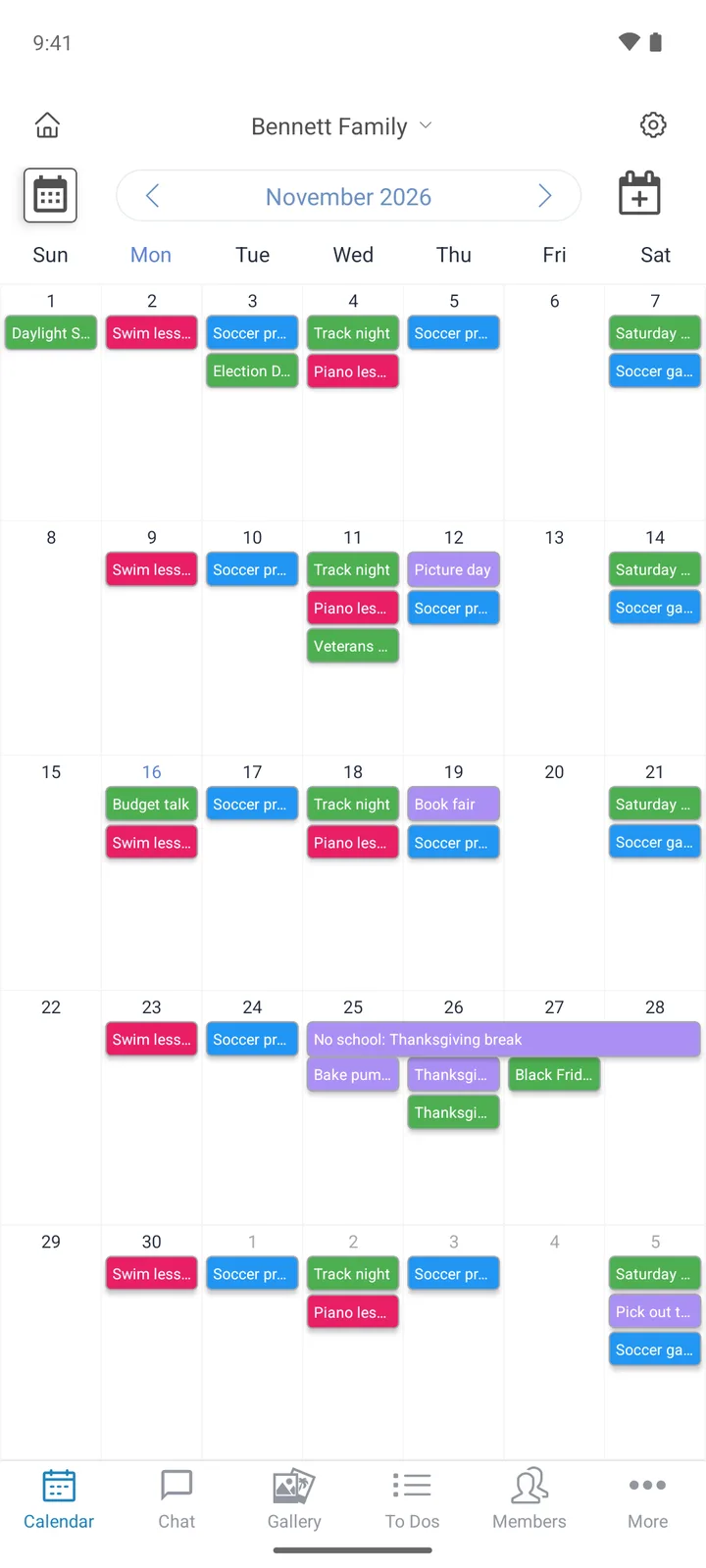
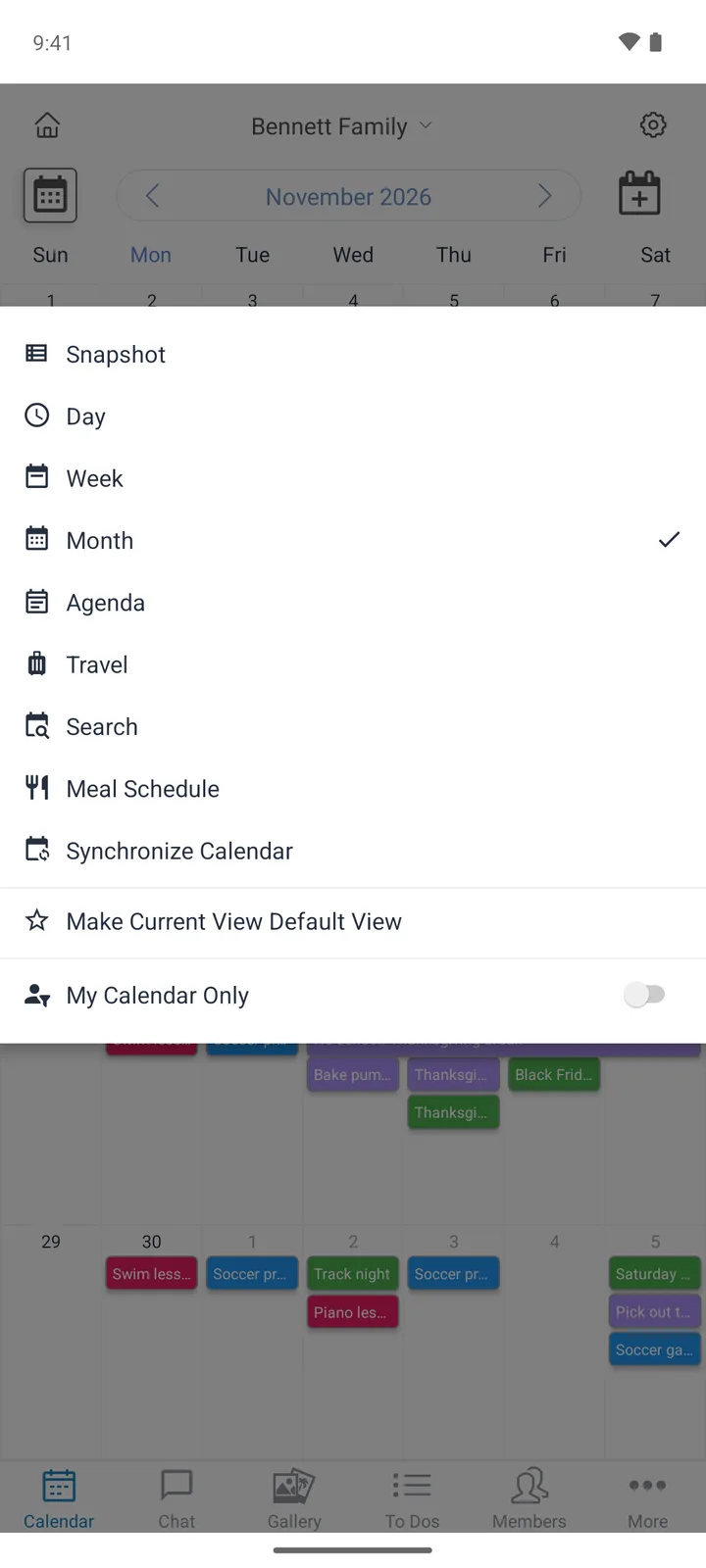
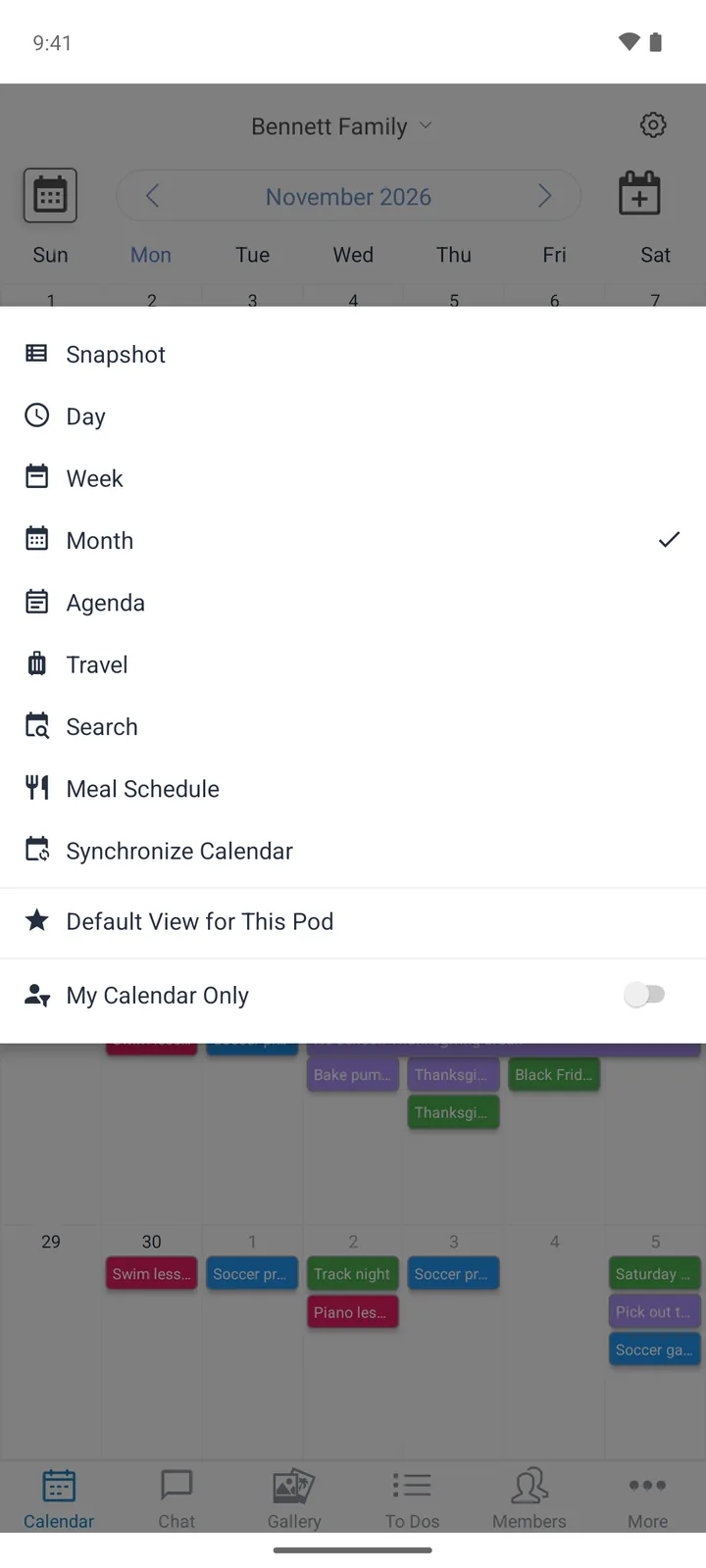
将 Month 设为这个 pod 的默认视图,打开日历就能一起查看学校、活动和家庭安排。选择 Month,再在视图菜单中点击 Make Current View Default View。
步骤
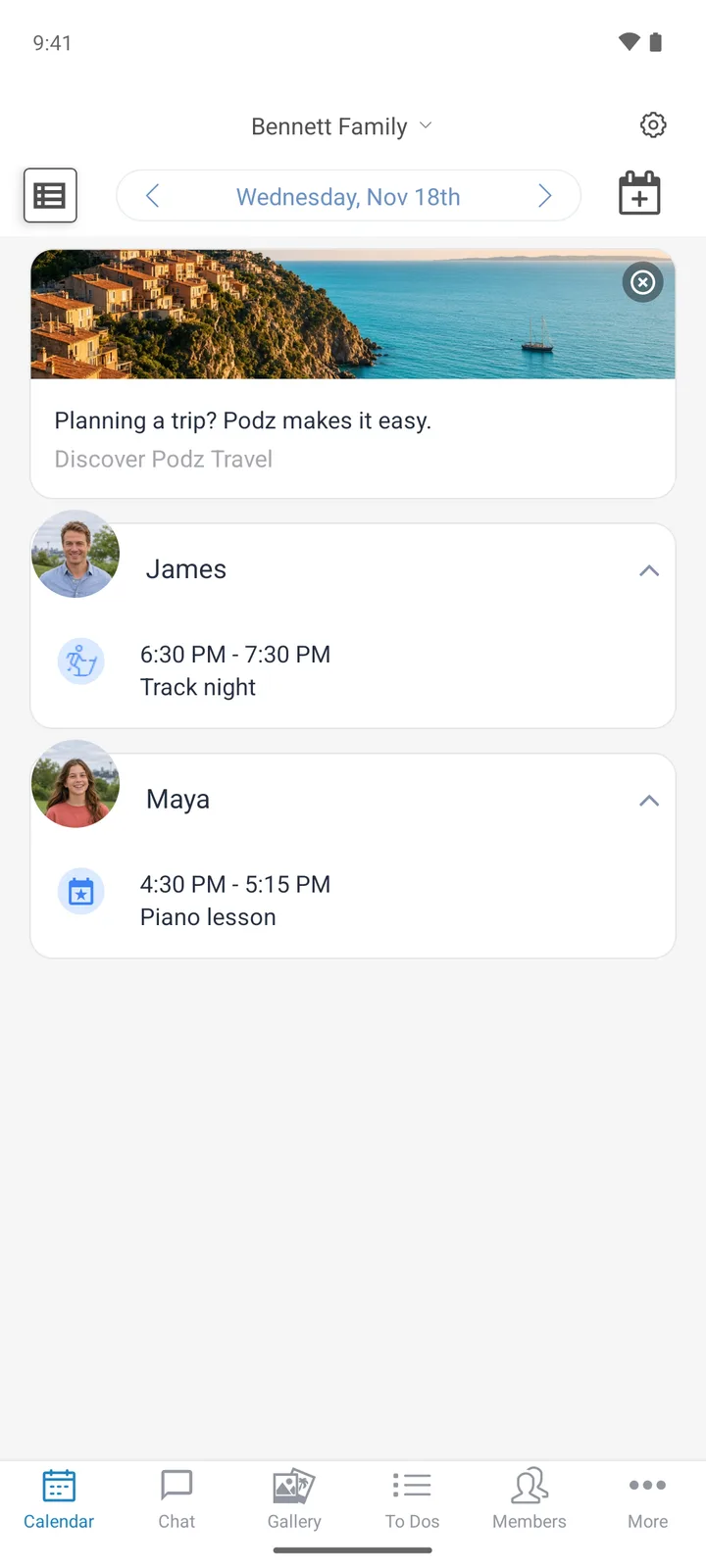
- 在家庭 pod 中点击 Calendar。
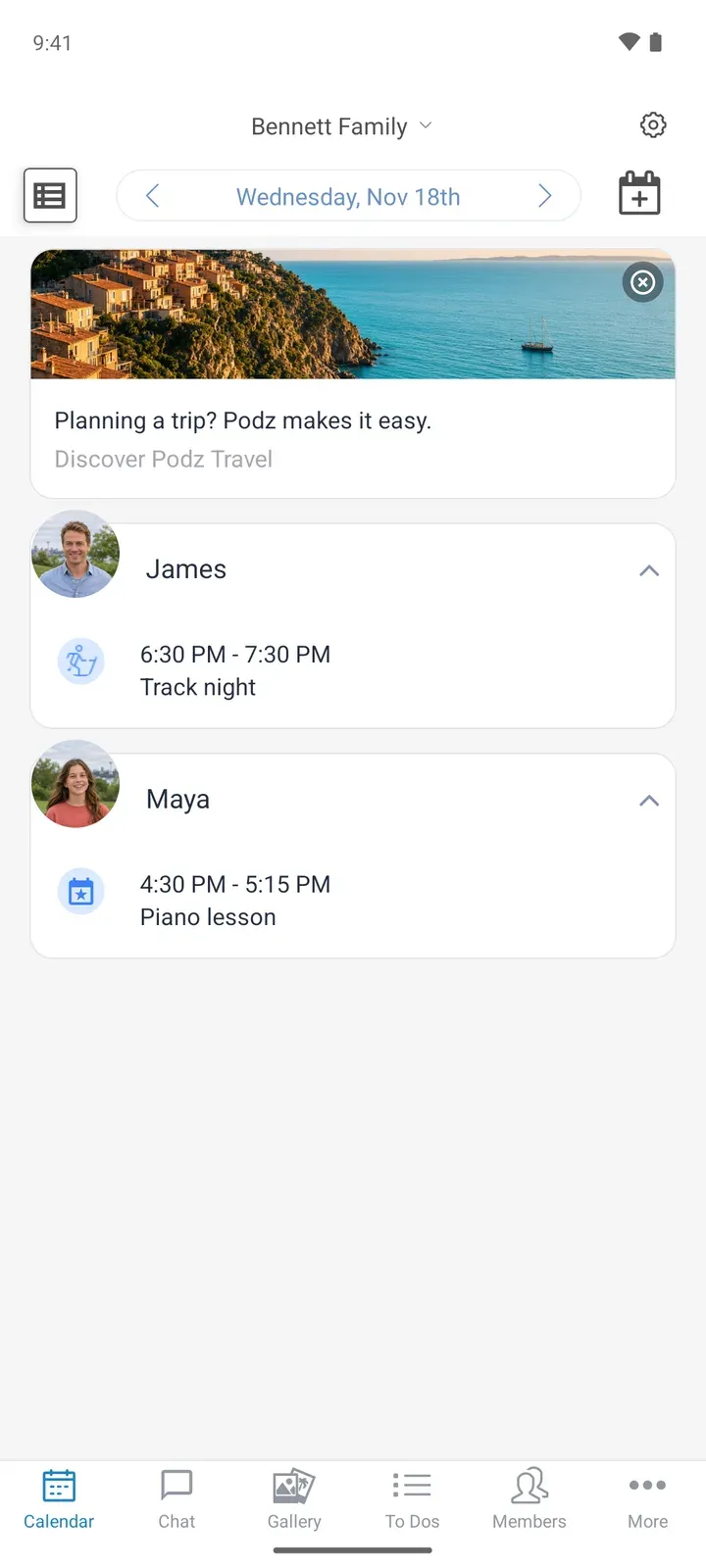
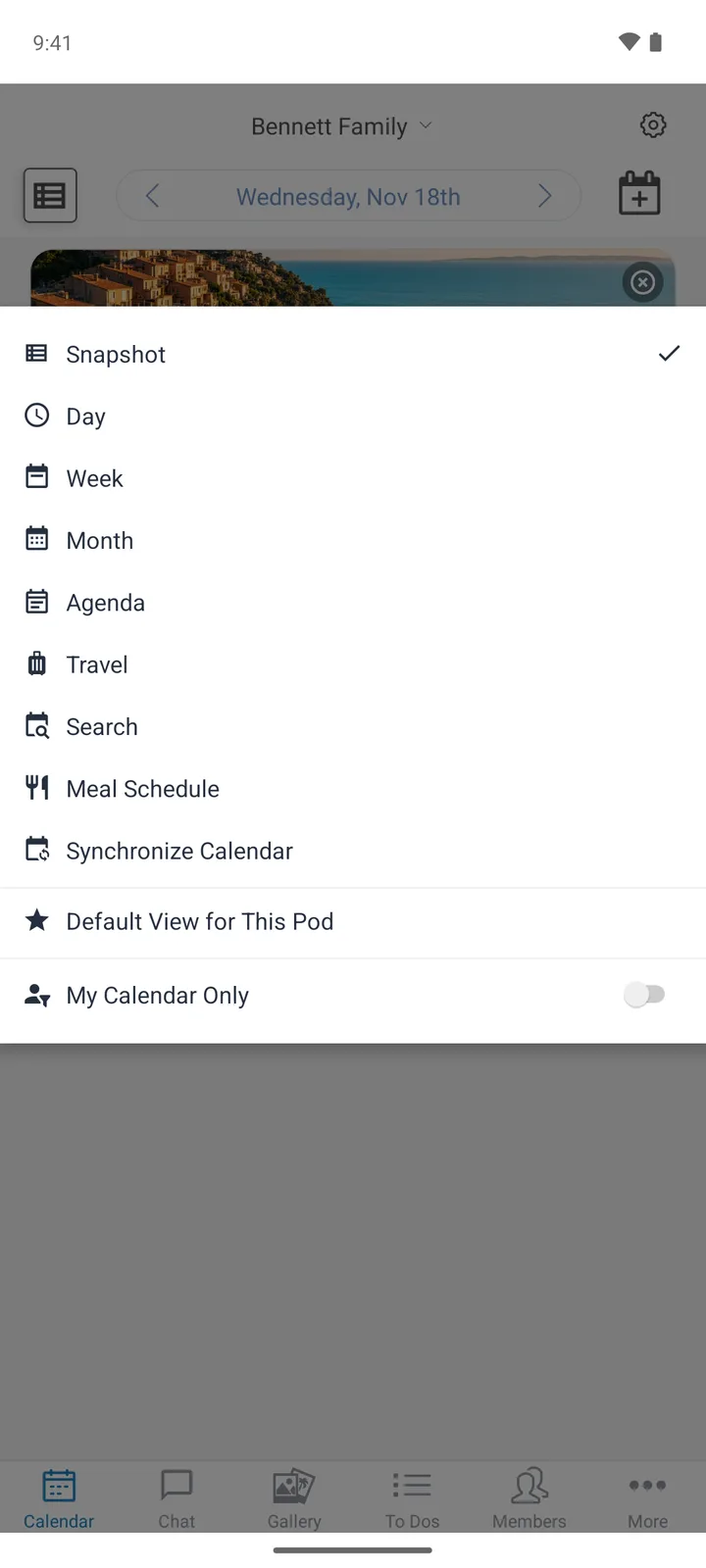
- 点击日历左上方的视图按钮。
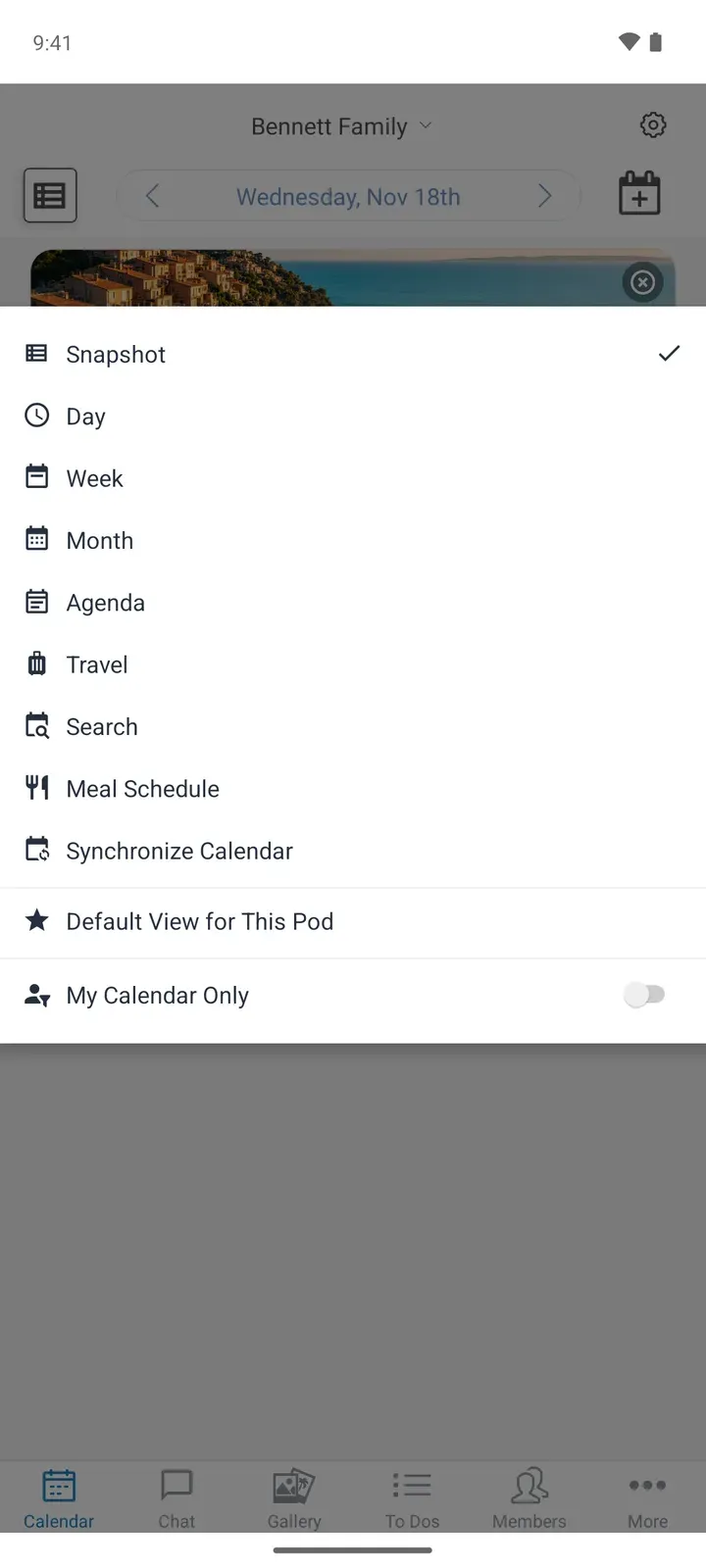
- 点击 Month。
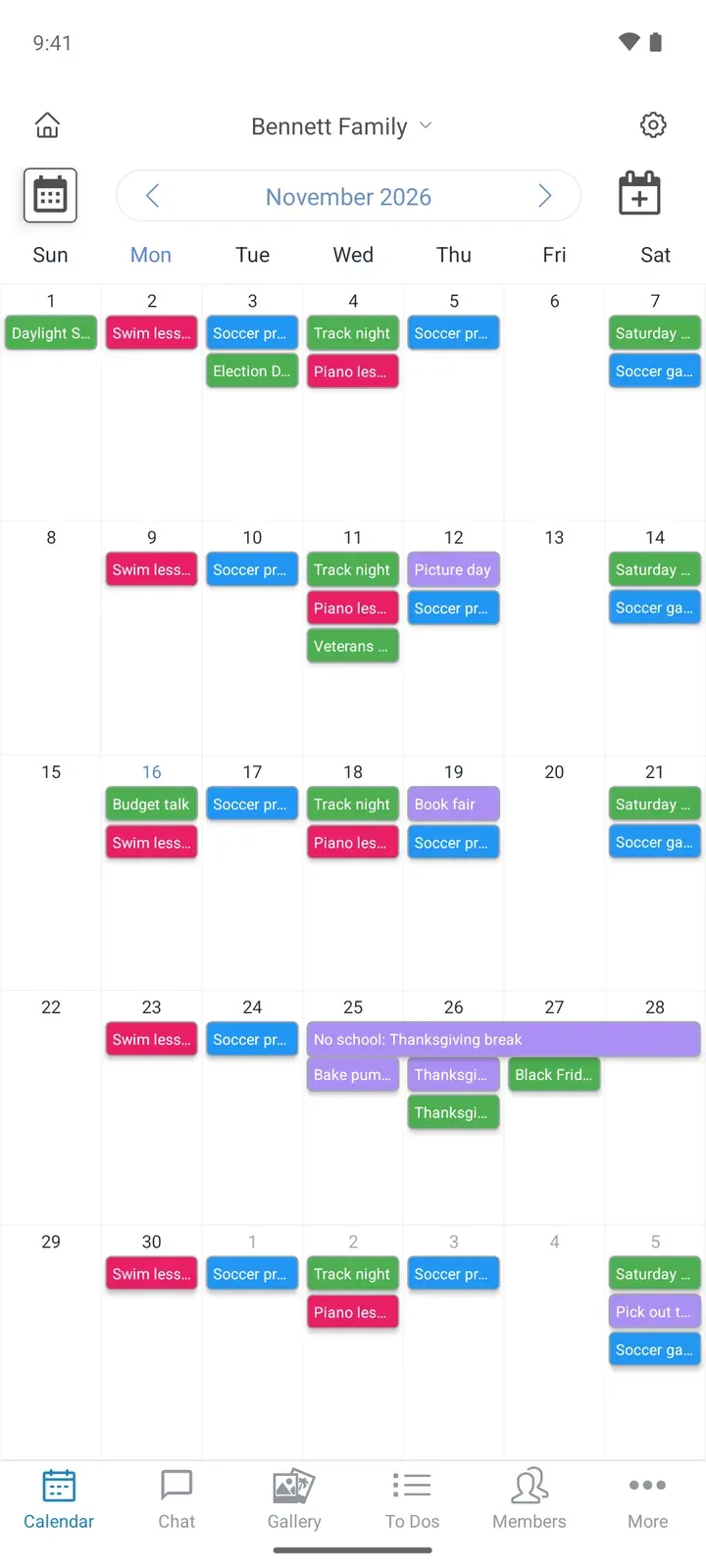
- 再次打开日历视图菜单。
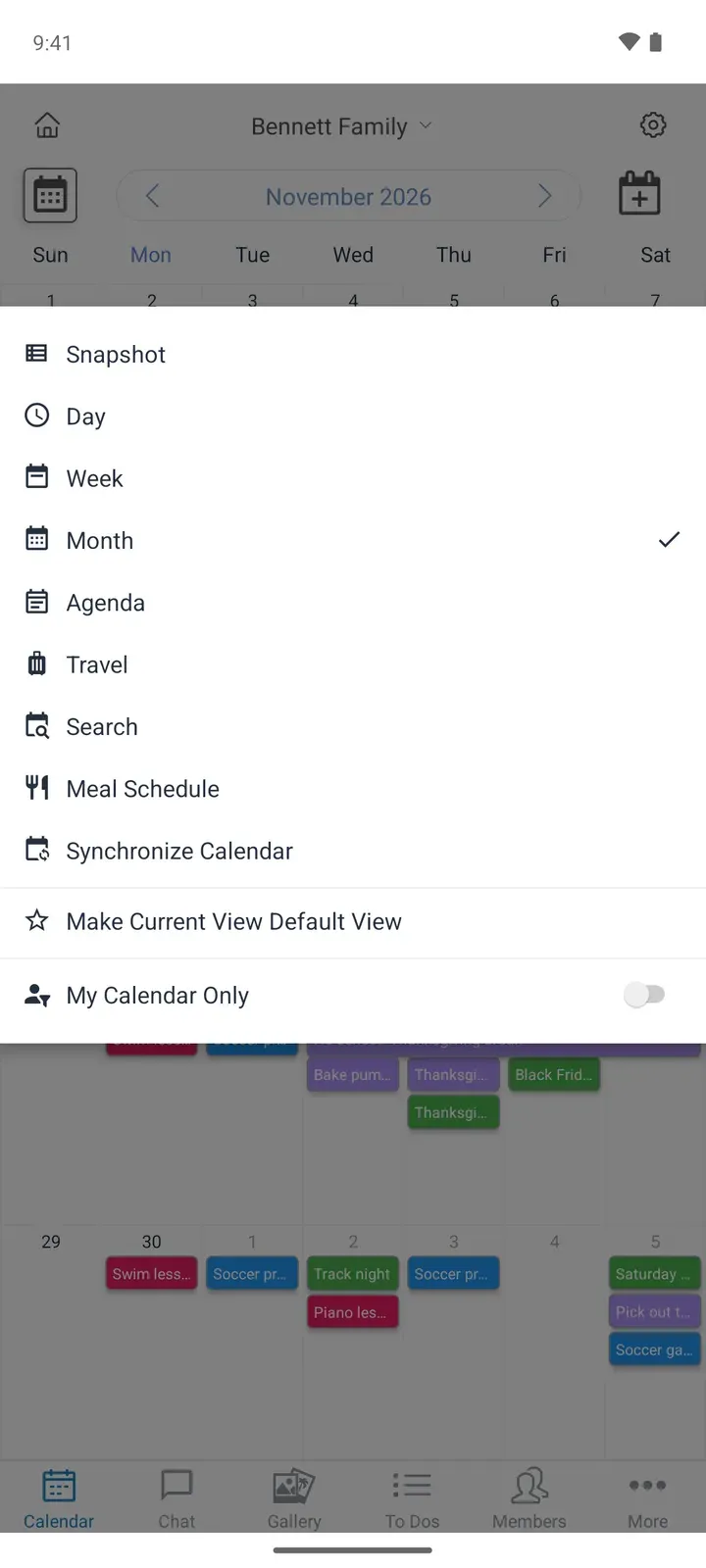
- 点击 Make Current View Default View。
- 重新打开菜单,确认显示 Default View for This Pod。
步骤已在 Android 上核对,iPhone 上的界面可能略有不同。已于 2026年11月16日在 Podz 2.20.56 中核对。
小贴士
默认视图按 pod 分别设置,请在你使用的每个 pod 中重复这些步骤。选择 Month 会更改当前视图;Make Current View Default View 会将其保存,供以后使用。
如果菜单已显示 Default View for This Pod,说明当前视图已保存,到这里就可以了。