
How do I switch the calendar view in Podz?
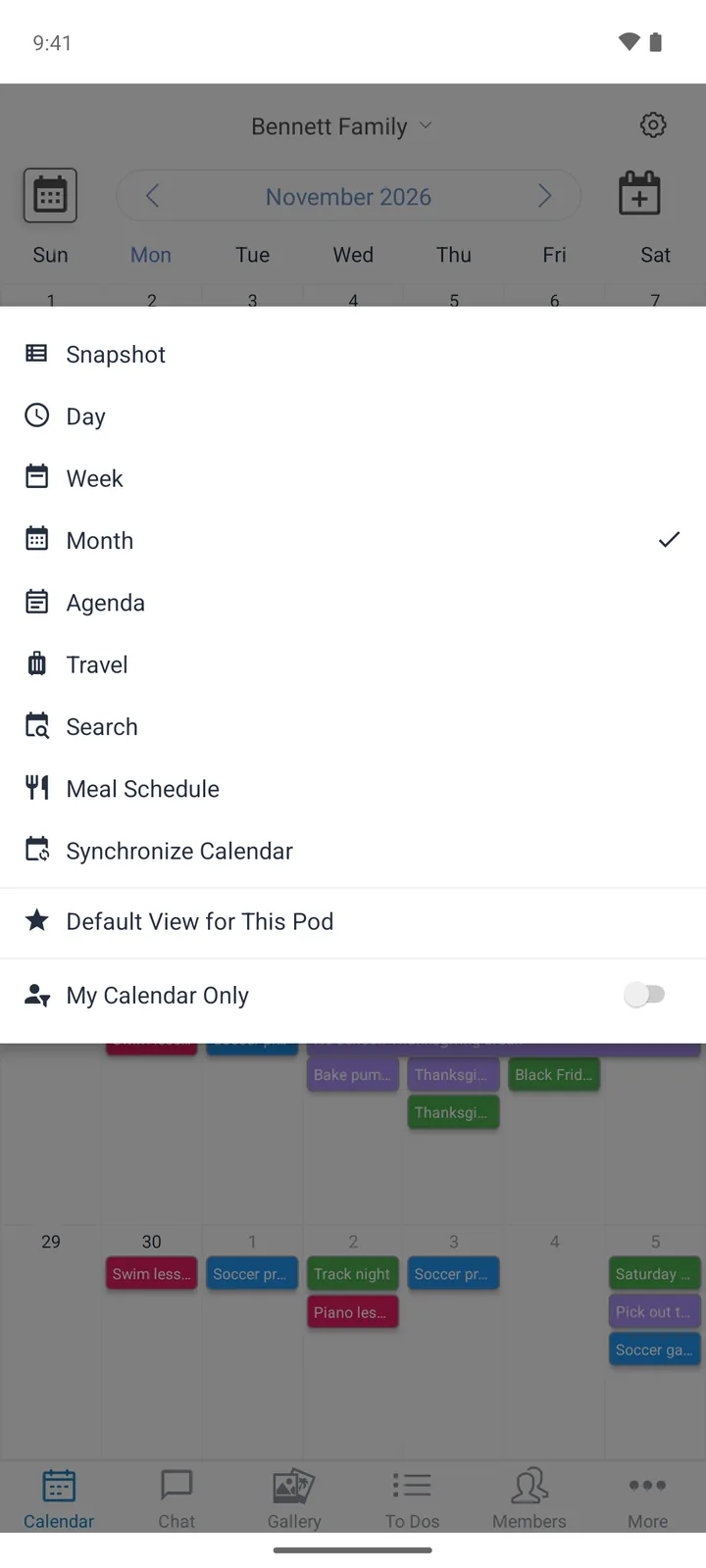
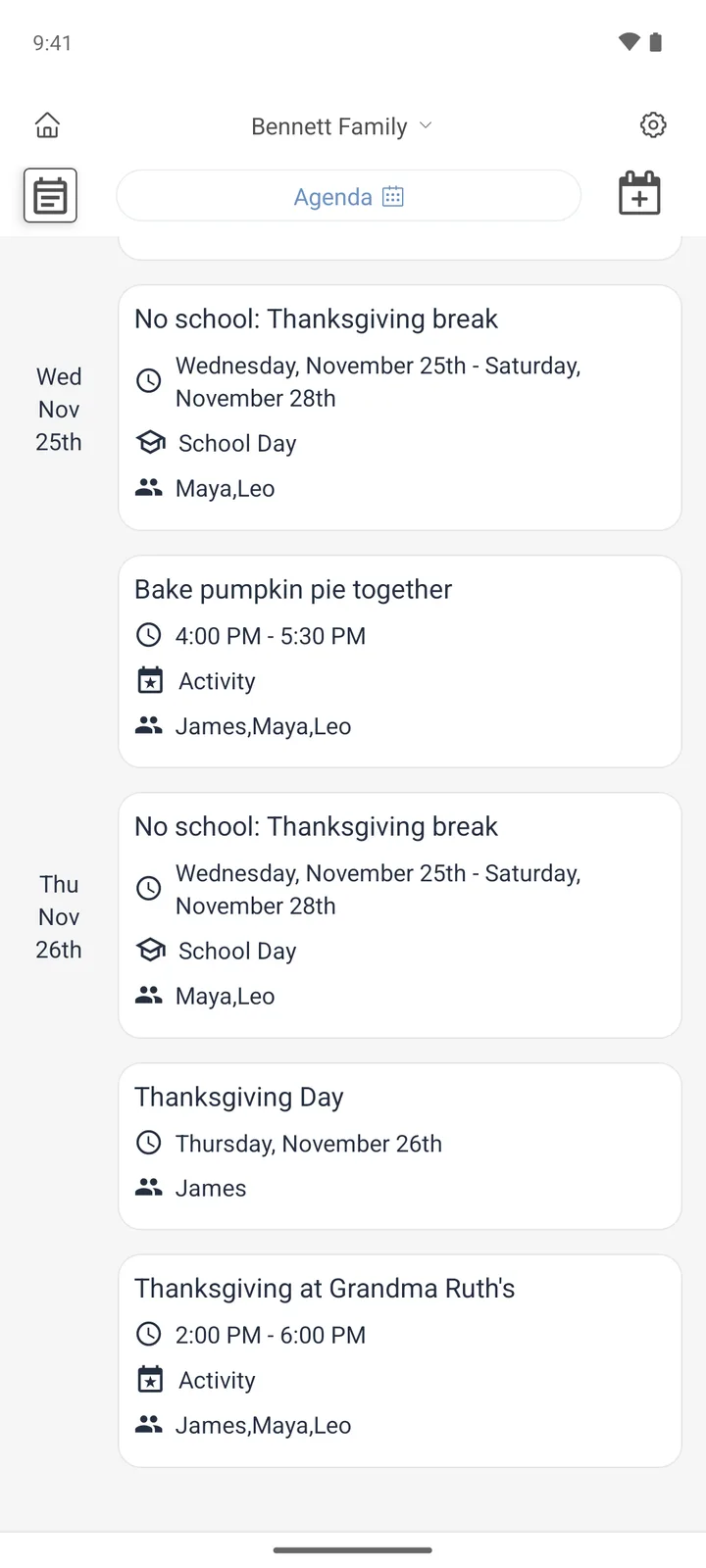
Choose Month for the family overview or Agenda to read full event titles, times and attendees. Switch views from the button at the upper left of the calendar.
Steps
- In your pod, tap Calendar.
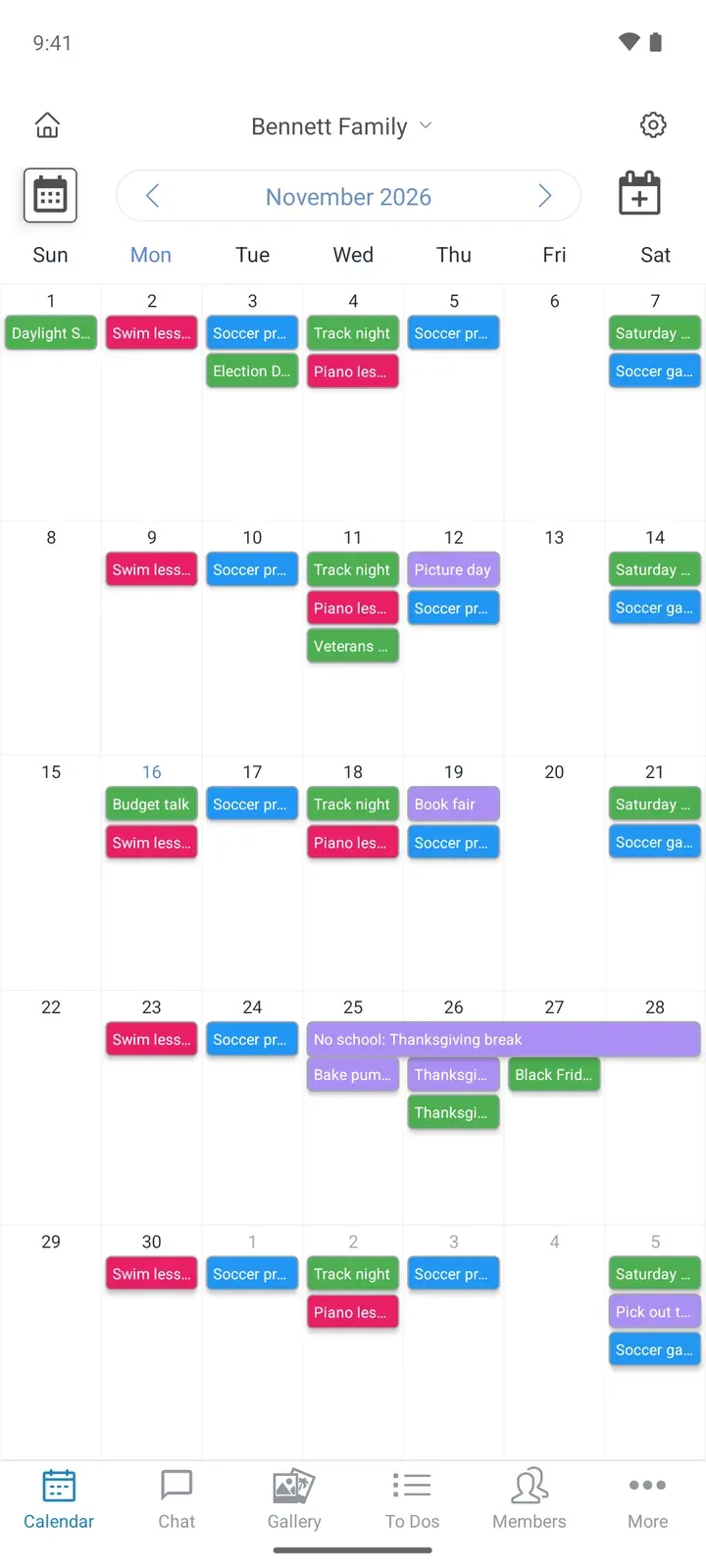
- Tap the calendar view button at the upper left.
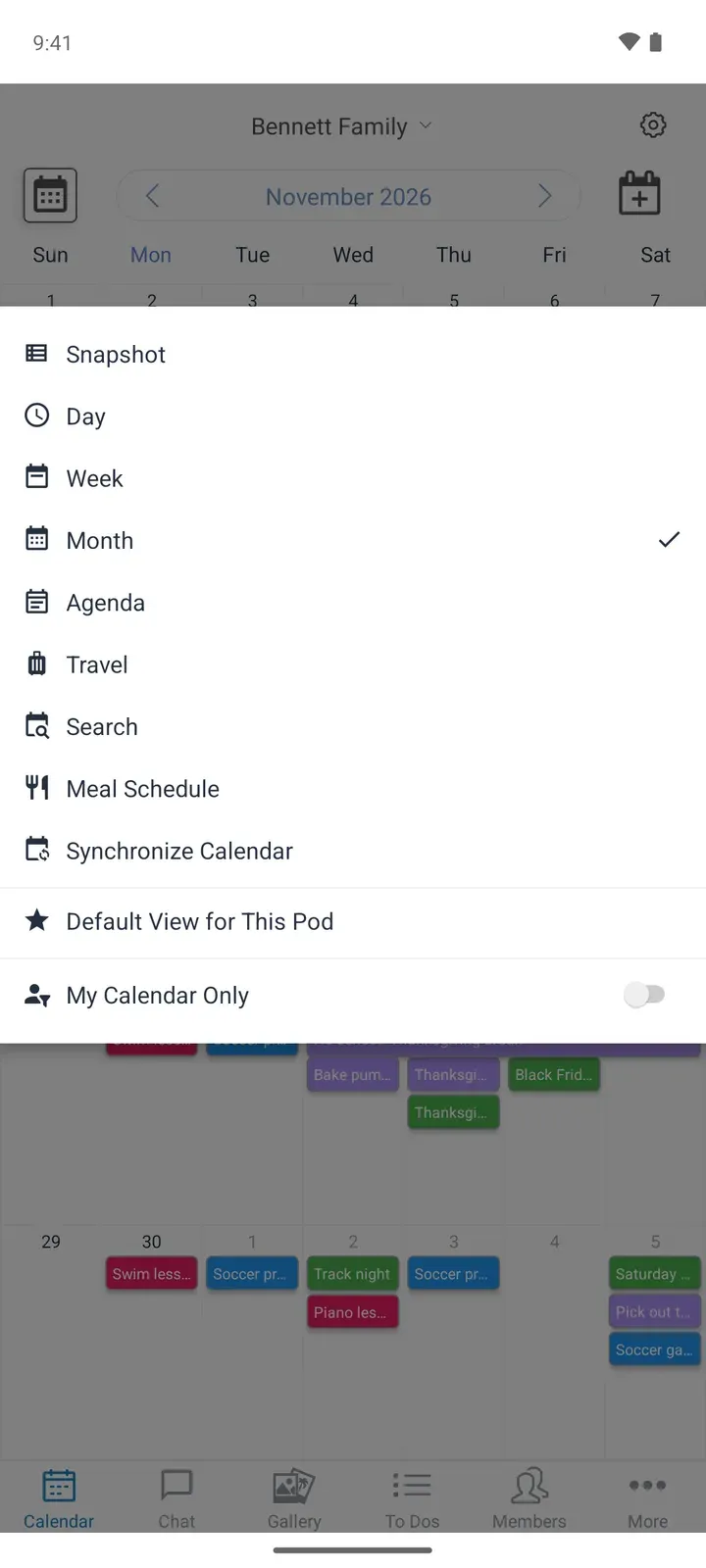
- Choose Month for the monthly overview or Agenda for the event list.
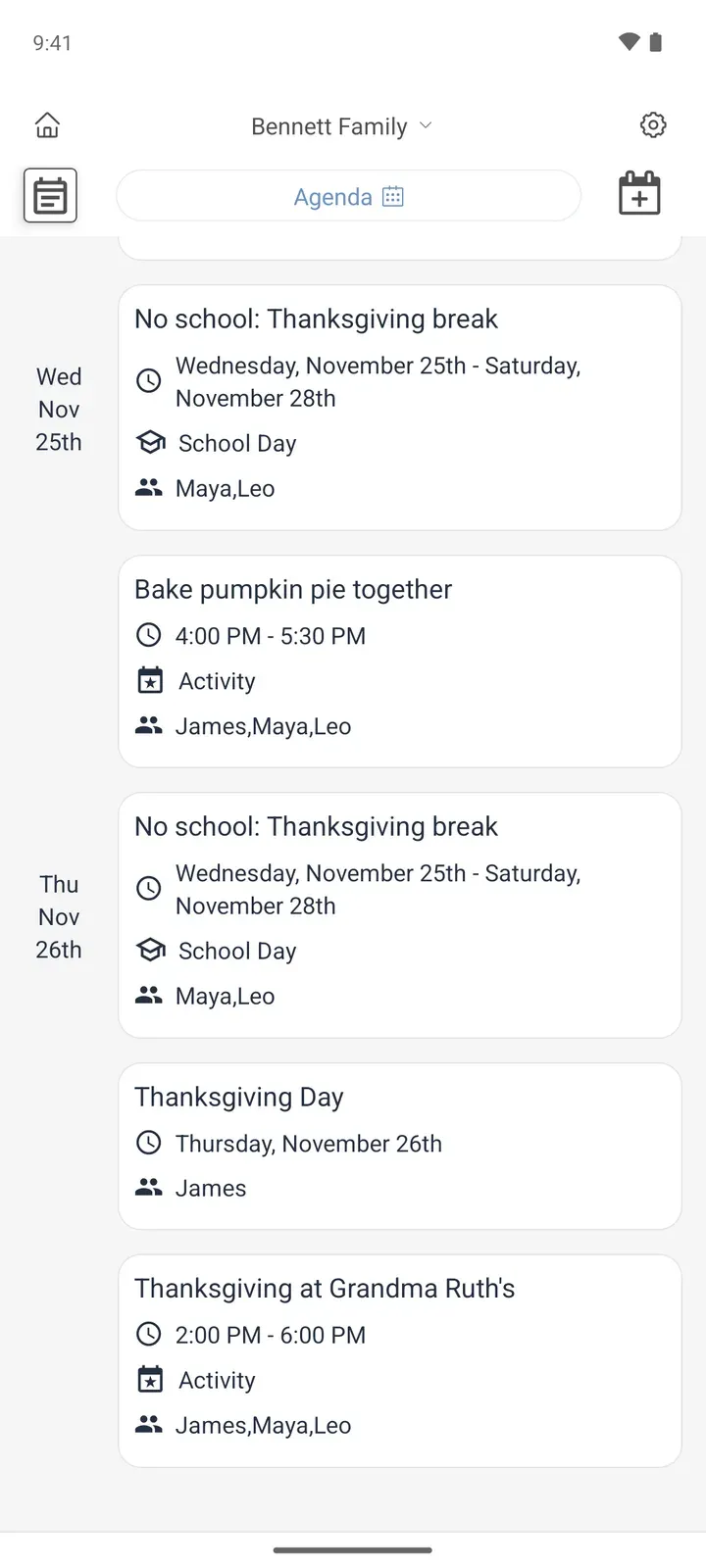
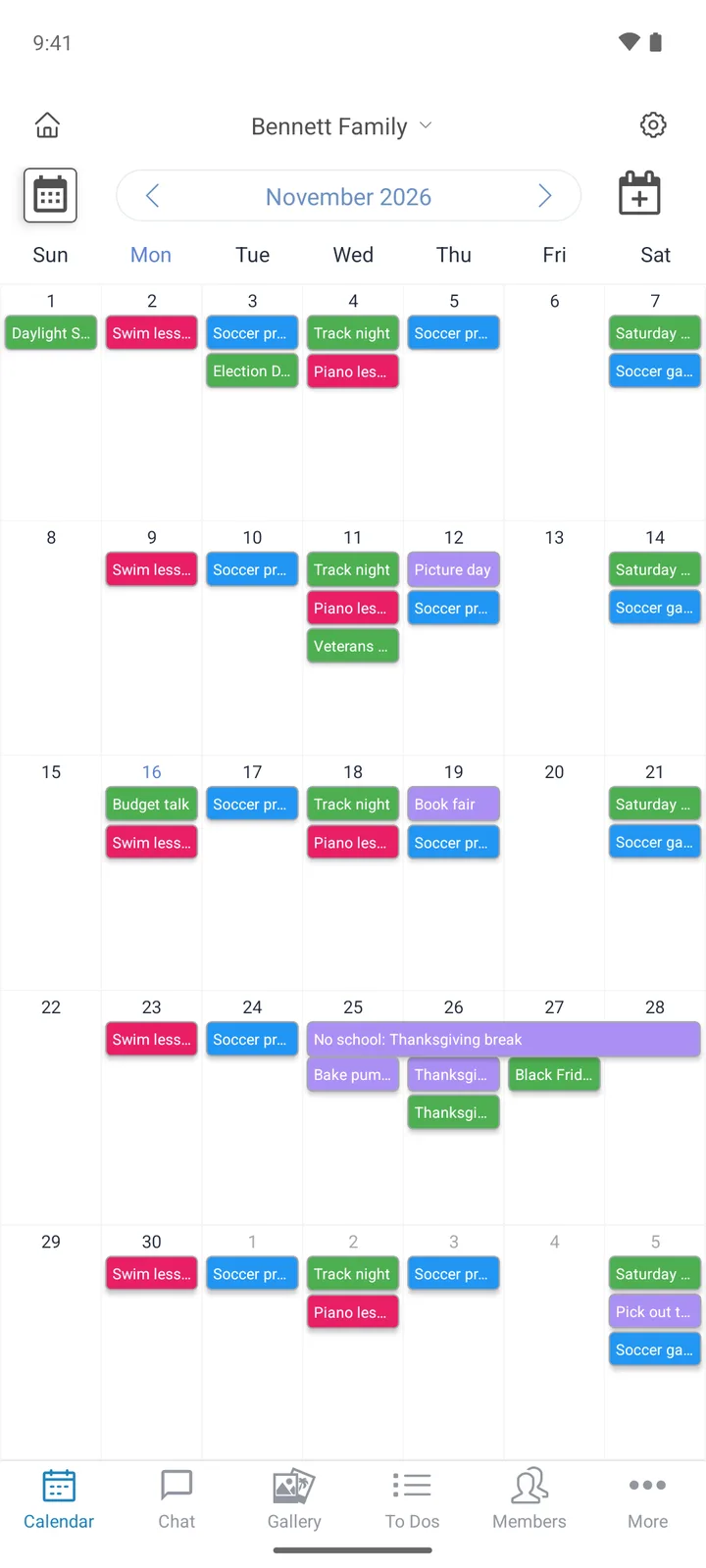
Steps checked on Android; iPhone screens may look slightly different. Checked in Podz 2.20.56 on Nov 16, 2026.
Good to know
Default View for This Pod and My Calendar Only are on the same menu.
The same menu includes Snapshot, Day, Week, Travel, Search, Meal Schedule and Synchronize Calendar. Use the related guide to save the view you want to open first.
Still stuck? Get help from Podz, or search all the guides.